FRONT DESK SUPPORT AND AUTOMATION TOOLS
Free Your Front Desk to Do What Only People Can Do
Purpose-built automation that handles the administrative grind so your team can focus entirely on patients.
Your front desk team is talented, trained, and patient-centered. So why are they spending hours each week on repetitive data entry, follow-up tasks, and administrative busywork that could be handled automatically? Perform Practice Solutions' Front Desk Support and Automation Tools take those tasks off your team's plate completely, running quietly in the background while your staff focuses on the patients walking through your door.
Reclaim Your Team's Time -- Book a Free Discovery Call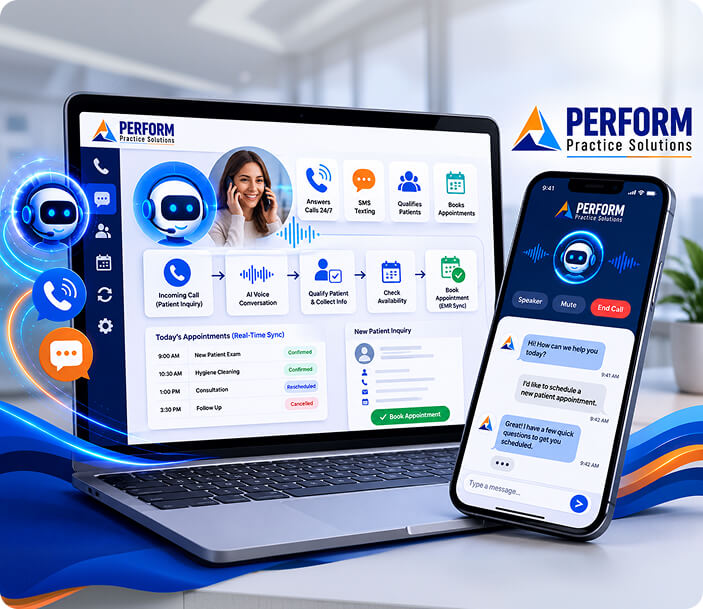
Admin Work Automated
Repetitive, time-draining tasks handled automatically, without staff involvement.
Team Time Reclaimed
Your front desk team gets their day back, focused on face-to-face patient care.
Fewer Errors, Less Friction
Consistent automated processes reduce manual mistakes and keep operations running clean.
The Tasks Your Team Should Never Do Manually Again
High-volume, error-prone, and time-consuming. These are exactly the tasks automation was built for.
We build automation workflows tailored to your practice's specific operations, identifying the administrative tasks eating the most time and replacing them with reliable, hands-free systems. Common workflows we build for practices include:
Appointment Reminders
Automated text and email reminders go out at the right intervals, reducing no-shows without any manual sends from your team.
New Patient Intake
Digital intake forms collected and pushed into your EMR automatically. No paper, no re-entry, no delays.
Insurance Verification
Eligibility checks are triggered and logged automatically before appointments, so staff are not scrambling last minute.
Follow-Up Sequences
Post-visit follow-ups, satisfaction check-ins, and reactivation campaigns run automatically based on patient milestones.
Internal Task Triggers
When a specific event happens, a form submitted, an appointment booked, a cancellation received, the right internal task fires automatically.
Reporting & Dashboards
Automated reporting delivered on a set schedule so leadership always has the data they need, without pulling it manually.
When Admin Is Automated, Everything Improves
Less friction in the back office means better care at the front desk.
The goal is not just to save time. It is to change what your team spends their time on. When front desk staff are not buried in administrative work, they are more present for patients, more accurate in their communication, and more focused on the interactions that actually require a human touch.
Perform Practice Solutions builds the automation layer that makes that shift possible. The result is a practice where technology handles the routine and your people handle the rest.
Frequently Asked Questions
How do we figure out which tasks to automate first?
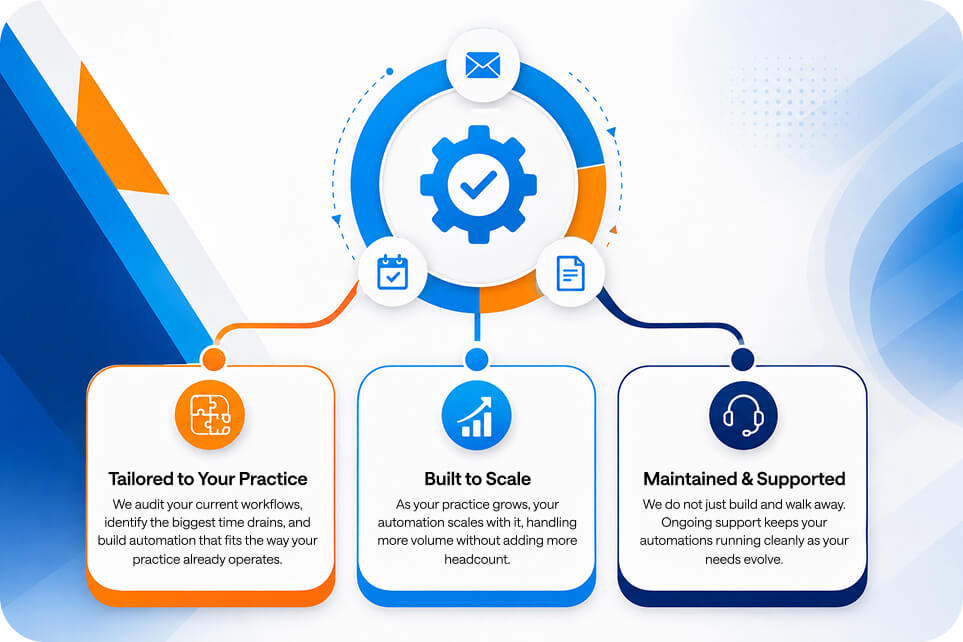
We start with a workflow audit. We look at what your front desk team spends the most time on, where mistakes tend to happen, and where delays in your process are affecting the patient experience. From there, we prioritize the highest-impact automations to build first.
Will our team need to learn new software or change how they work?
Minimal adjustment. Our automations are built to work within your existing tools and workflows, not to replace them with something new. For most practices, the biggest change is simply noticing that tasks they used to do manually are just done.
Can these tools integrate with our EMR?
Yes. EMR integration is a core part of how we build these workflows. Whether it is pulling availability, writing appointment data, logging intake responses, or triggering events based on scheduling changes, we connect directly to your system of record.
How long does it take to get set up?
Timeline varies based on the complexity and number of workflows being built. Most practices see their first automations live within a few weeks of kick-off. We will give you a realistic timeline during your discovery call based on your specific situation.
Is there ongoing support after the automation is built?
Yes. We provide ongoing support to monitor, maintain, and adjust your automations as your practice evolves. If something changes in your workflow, a new provider, a new service, an updated protocol, we are there to update the system accordingly.