
NetHealth For Therapy Source EMR is discontinuing its platform, leaving thousands of therapy practices across the United States scrambling to find a replacement before the deadline hits. If your clinic runs on Therapy Source, the clock is already ticking, and the decisions you make in the next few weeks will directly shape how smoothly your operations continue.
This is not a minor software update or a rebranding exercise. This is a full platform shutdown, and it carries real consequences for your billing cycles, patient records, compliance obligations, and day-to-day scheduling.
Understanding what is happening, why it matters, and what your realistic options look like is the first step toward protecting the practice you have worked hard to build.
Why the NetHealth for Therapy Source Shutdown Catches So Many Practices Off Guard
EMR shutdowns rarely come with much warning, and even when they do, the reality of switching platforms feels distant until it is suddenly urgent. The NetHealth For Therapy Source EMR situation is no different. Many physical therapy, occupational therapy, and speech-language pathology clinics have relied on Therapy Source for years, sometimes over a decade, and the institutional knowledge baked into that system is significant.
Here is what makes this particular shutdown especially disruptive:
- Long-standing integrations: Many practices have connected Therapy Source to their billing services, insurance verification tools, and patient portals. Those integrations do not automatically transfer to a new platform.
- Historical patient data: Years of documentation, progress notes, plan-of-care records, and outcome measures live inside Therapy Source. Extracting, formatting, and migrating that data is not trivial.
- Staff familiarity: Your team has built workflows around a specific interface. A new EMR means retraining, which costs time and creates short-term productivity dips.
- Compliance risk during transition: CMS, HIPAA, and payer-specific documentation requirements do not pause because your software changed. Any gap in documentation quality during a transition creates audit exposure.
- Revenue cycle disruption: Claims that are in-flight when you switch platforms can slip through the cracks if the transition is not carefully managed.
The practices that navigate this best will be the ones that start planning immediately rather than waiting until the shutdown date is confirmed on their end.
What Happens to Your Data When Therapy Source Goes Dark
Patient records are not just operationally important. They are a legal and regulatory obligation. Under HIPAA, you are required to maintain patient records in a format that is accessible for a defined period, which varies by state but is commonly a minimum of seven years for adults and longer for minors.
When a platform shuts down, that responsibility does not disappear. It transfers entirely to you.
Here is what you need to do before the shutdown date:
Step 1: Request a full data export immediately. Contact your Therapy Source account representative and request a complete export of all patient records, clinical notes, billing history, and outcome data. Ask specifically what file formats will be provided (typically HL7, CSV, CCD, or PDF), because not every EMR will accept every format.
Step 2: Confirm your new EMR can import the export. Before signing any contract with a new platform, verify that their technical team has experience migrating data from Therapy Source specifically. A generic “we support data migration” assurance is not enough.
Step 3: Archive records in a HIPAA-compliant manner. Even if your new EMR cannot import all historical data cleanly, you are still obligated to store those records. Work with a HIPAA-compliant cloud storage provider or a medical records management service to ensure nothing is lost.
Step 4: Notify your billing team and clearinghouse. Any claims submitted through Therapy Source and not yet adjudicated need to be tracked carefully. Your billing team needs to know exactly where each claim stands before the cutover date.
Step 5: Communicate with your patients. While you are not typically required to notify patients that your EMR changed, transparency around any disruption to appointment scheduling, portals, or communication is good practice and helps maintain trust.
How to Evaluate Your Next EMR Without Rushing Into the Wrong One
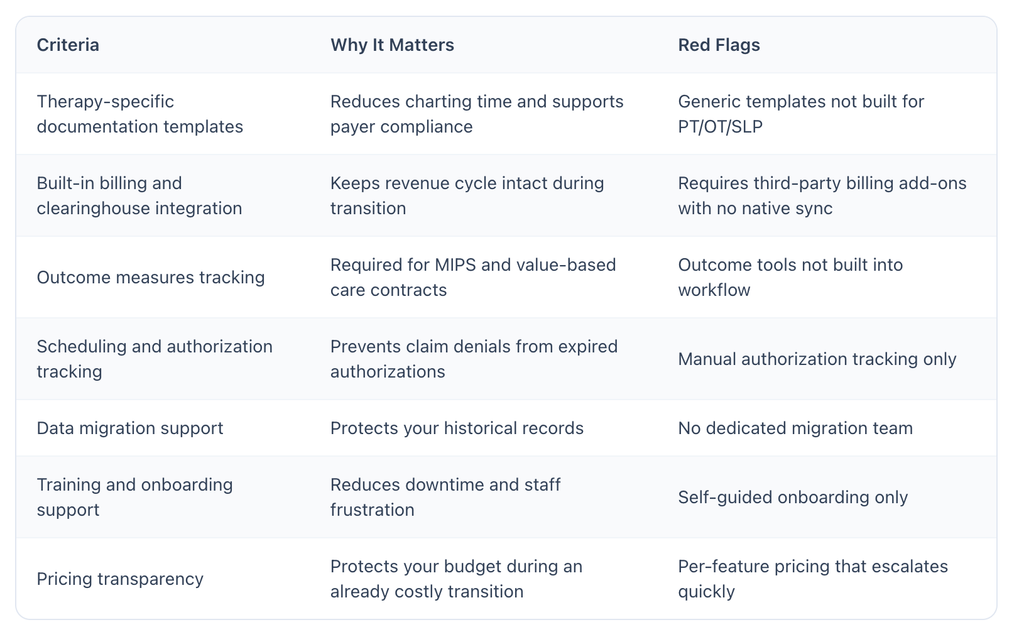
The urgency of a shutdown deadline can push practice owners into decisions they later regret. Signing a long-term contract with an EMR that does not fit your workflow because it was the first one you demoed is a costly mistake. Here is a straightforward framework for evaluating your options under time pressure.
Criteria That Matter Most for Medical Therapy Practices
Questions to Ask During Every Demo
- Can you show me exactly how a physical therapy evaluation note is documented in this system?
- What is your specific process for migrating data from Therapy Source?
- What does your go-live support look like in the first 30 days?
- How does your billing module handle claim scrubbing and denial management?
- What is the contract length, and what are the exit terms if we need to leave?
Do not let a sales demo carry all the weight here. Ask to speak with current clients who are similar in size and specialty to your practice. Reference calls reveal what demos are designed to hide.
Where Perform Practice Solutions Fits Into Your Transition
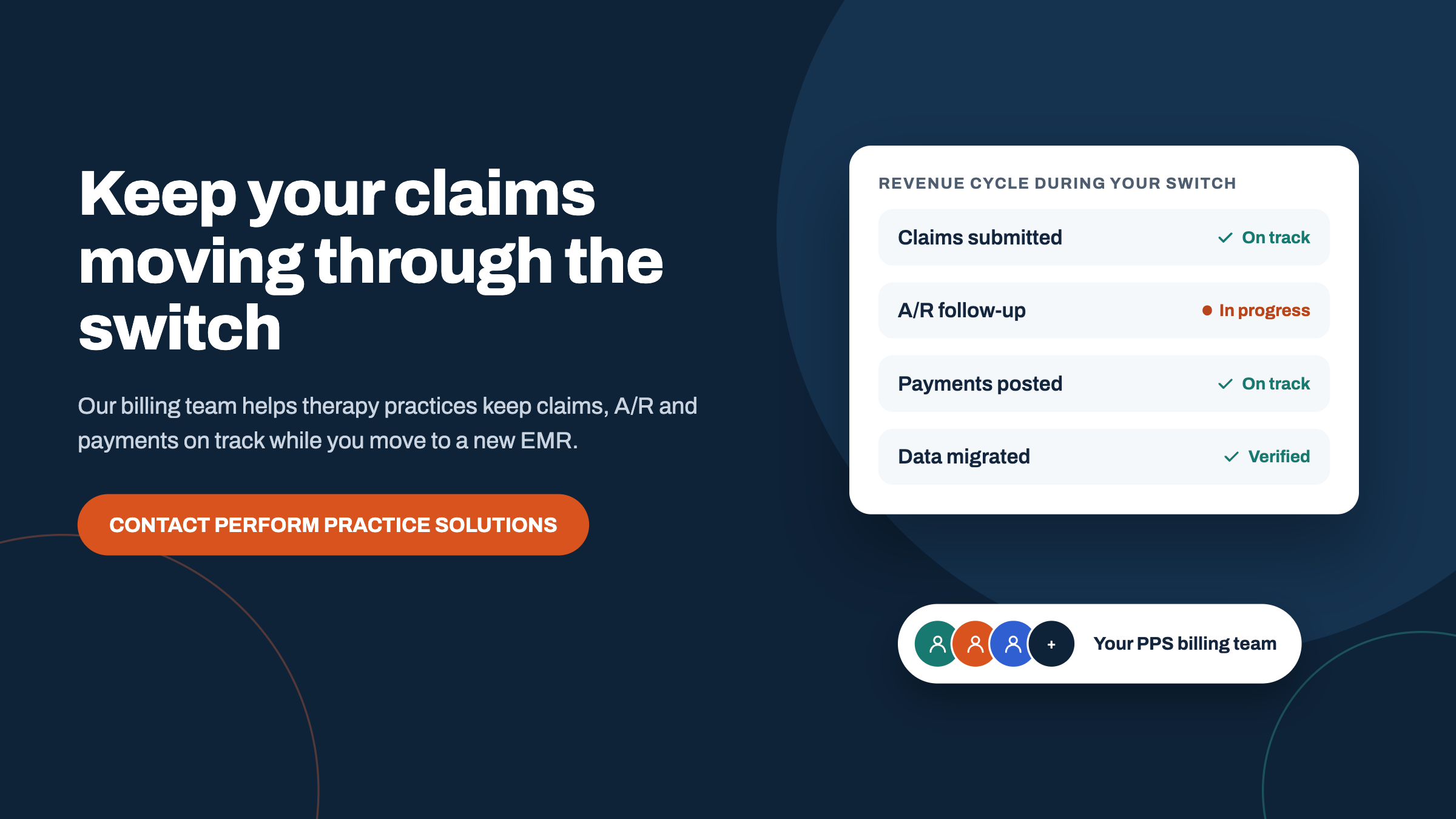
Navigating a forced EMR migration while keeping your practice running is genuinely difficult, and most clinics do not have a dedicated IT team or a revenue cycle specialist on staff to manage it. That is where Perform Practice Solutions steps in as the missing piece.
Perform Practice Solutions specializes in supporting therapy practices through exactly this kind of operational disruption. Rather than leaving you to figure out the transition on your own, Perform provides hands-on support across the areas that matter most:
Revenue cycle management during transition: The gap between your old system and your new one is where claims go missing. Perform’s billing team monitors your revenue cycle throughout the switch, ensuring that no in-flight claims fall through the cracks and that your cash flow stays as stable as possible.
Operational consulting: Choosing a new EMR is not just a technology decision. It affects your scheduling workflows, your front-desk operations, your therapist documentation habits, and your compliance posture. Perform works with you to think through all of those dimensions before you commit to a new platform.
Staff support and transition planning: Retraining a team under time pressure is stressful. Perform helps you build a realistic transition timeline, identifies the highest-risk points in your workflow, and supports your staff so the learning curve does not crush your productivity or morale.
Payer credentialing and compliance continuity: Switching platforms can sometimes create gaps in payer credentialing records or documentation that raises flags during audits. Perform monitors these areas proactively so you stay compliant even during the messy middle of a transition.
You do not have to absorb every cost and risk of this shutdown on your own. Partnering with a team that has done this before, with practices just like yours, makes a measurable difference in how fast you stabilize and how much revenue you protect.
Things to Know
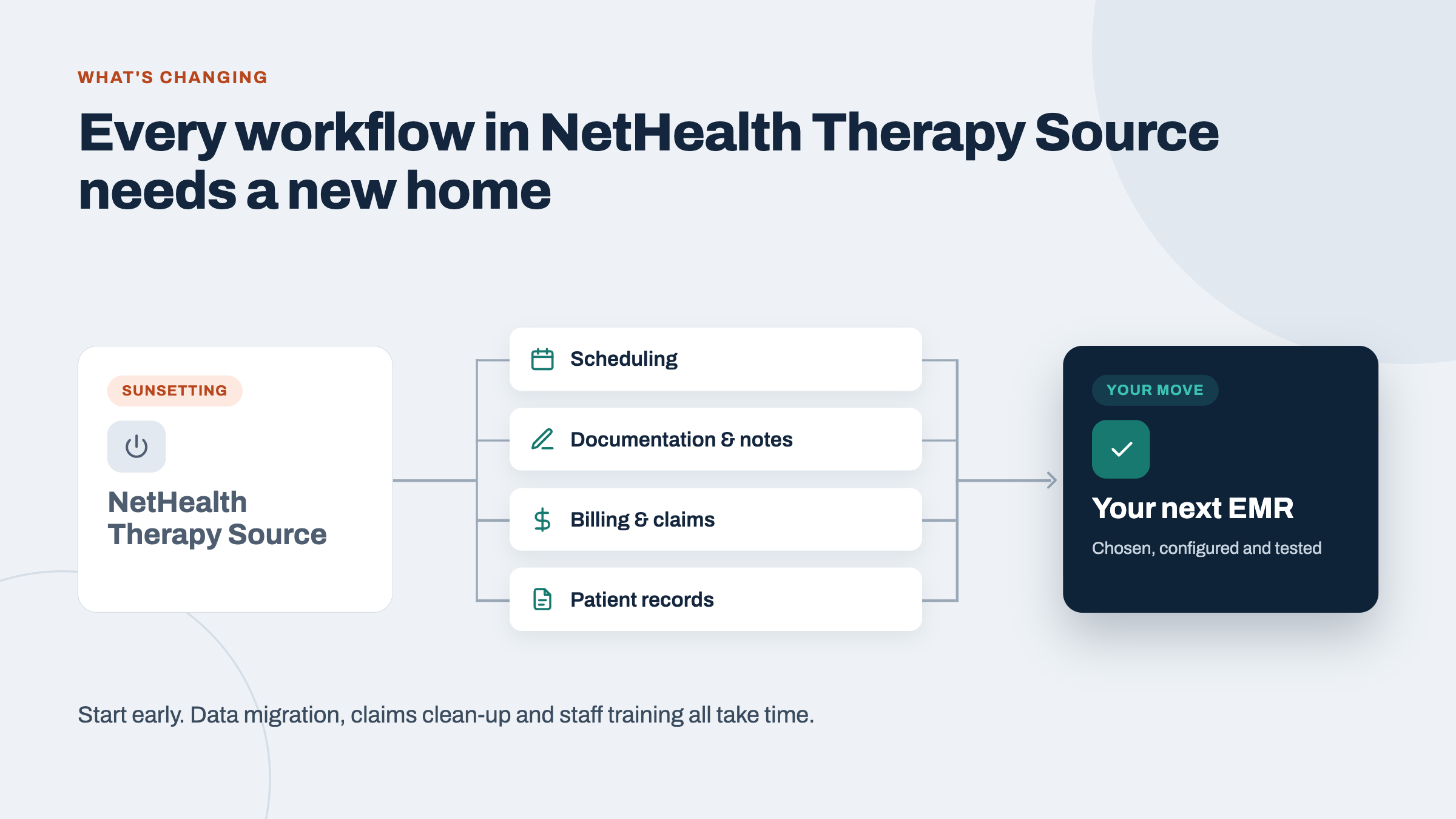
- The shutdown affects more than just charting. Scheduling, billing, reporting, and patient portal access are all tied to Therapy Source, and each of those functions needs a separate plan during migration.
- Data export timelines vary. Some practices report waiting several weeks for a full data export from platforms during shutdown periods. Request yours as early as possible.
- Not all EMRs are built for outpatient therapy. Many general-purpose platforms lack the therapy-specific templates, outcome measure tracking, and authorization management tools your practice depends on daily.
- Your payer contracts may have documentation requirements. Check your payer agreements to ensure that your new EMR can produce the exact documentation format that specific payers require for audits or appeals.
- Staff training typically takes 30 to 60 days to reach baseline efficiency. Budget for a productivity dip during this window, and plan your patient volume accordingly.
- Outsourcing your billing during transition is often cost-neutral. The claim errors and denials that pile up during an EMR switch can cost more than the fee for professional billing support, making outside help a smart financial decision, not just a convenience.
Conclusion
The shutdown of NetHealth For Therapy Source EMR is a real disruption, but it does not have to derail your practice. The clinics that come through this strongest will be the ones that move quickly on data export, evaluate their replacement options with clear criteria rather than deadline panic, and bring in experienced support to keep billing and compliance steady during the transition.
Perform Practice Solutions exists to be exactly that support. Whether you need help managing your revenue cycle through the switch, evaluating which EMR fits your specific practice model, or simply thinking through the operational steps before you commit to anything, the team at Perform is ready to work alongside you.
Reach out today to schedule a transition consultation and put a real plan in place before the shutdown date arrives.
Frequently Asked Questions
1. When is the official shutdown date for NetHealth For Therapy Source EMR?
The exact cutover date has been communicated to practice administrators through official NetHealth notifications, and you should check your account portal or direct correspondence for your specific timeline.
Contact your account representative immediately if you have not received formal notice. Do not assume you have more time than you do, because data export requests and migration planning require lead time that shrinks quickly.
2. Can I keep using NetHealth For Therapy Source after the shutdown date?
No. Once the platform is shut down, access to your account, patient records, scheduling, and billing will no longer be available through the system.
This is why proactive data export and migration planning is critical. Waiting until the last day means you may lose access to records you are legally required to retain, with no way to retrieve them.
3. How long does it typically take to migrate to a new EMR?
A realistic EMR migration for a small to mid-sized therapy practice takes between 60 and 120 days from selection to full go-live, though some practices complete it faster with dedicated support.
The timeline depends on the complexity of your historical data, the size of your team, and how prepared your chosen vendor is to handle a Therapy Source migration specifically. Rushing the process increases the risk of billing errors and data loss.
4. Will my billing be disrupted during the switch to a new platform?
Yes, some billing disruption during an EMR transition is common, but the severity depends heavily on how carefully the transition is planned and whether your revenue cycle is actively managed during the switch.
Claims that are mid-cycle when you switch are the highest risk. Working with a billing support team like Perform Practice Solutions during this window significantly reduces denial rates and cash flow gaps.
5. What should I look for in a replacement for NetHealth For Therapy Source?
Look for a therapy-specific platform with built-in documentation templates, integrated billing, outcome measures tracking, and a team that has direct experience migrating data from Therapy Source.
Avoid general-purpose EMRs that require significant customization to fit therapy workflows. The hidden cost of adapting a non-therapy platform to your needs often exceeds what you expect, both in dollars and in staff time.